What is a robot?
A robot is a machine that has a computer inside. Robots help us do lots of different jobs such as:
- fetching and delivering things
- making and playing music
- carrying out operations in hospitals
To help do all these jobs, the robot needs a list of instructions called a program.
The computer uses the program to tell the robot how to move and what to do. The robot can only do what the program tells it to.
The computer has a memory like we do. It stores the program in its memory. When we tell the robot to GO it follows the program.
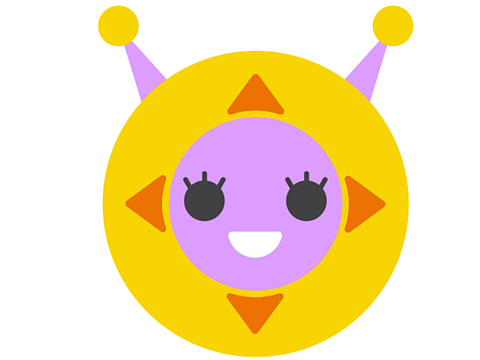
We can learn how to make a robot, like the Bitesize Bot, move around a grid or map using a program.
Let's make a robot move
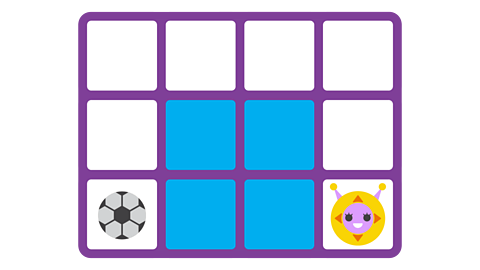
1. Planning the route
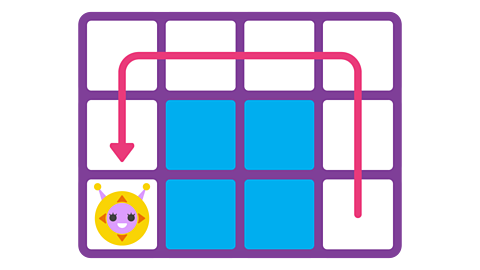
- You want the Bitesize Bot to go along the path to the football.
- You can plan the journey by drawing it on a map.
- This is called a route.
- You can use arrows to plan the route.
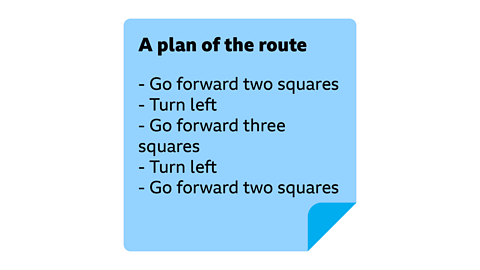
2. A list of steps
- The route needs to be broken down into smaller steps.
- You must check to see how far the Bitesize Bot must move each time.
- The Bitesize Bot might need to turn left or right.
- This list of steps is called an algorithm.
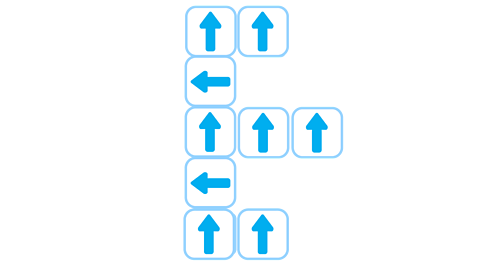
3. Robot instructions
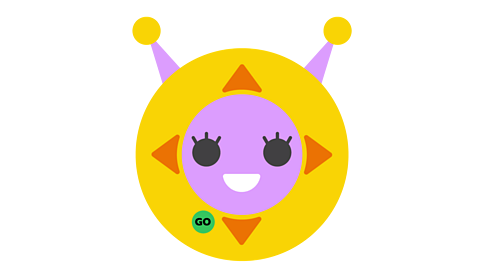
- The Bitesize Bot has buttons with arrows which show which direction it can move.
- The computer inside the Bitesize Bot only understands directions from the buttons.
- It does not understand words such as forward and turn.
- You press the buttons to tell the Bitesize Bot where to go.
4. Making the program
- The Bitesize Bot's computer can understand this list of instructions.
- This list is called a program.
- The computer stores the program in its memory.
- It waits until you press the GO button.
- Then it tells the Bitesize Bot what to do.
5. Did the program work?
- When you press the GO button, the Bitesize Bot will follow the program.
- It will move around the route.
- If you got all the instructions right, the Bitesize Bot will go where you wanted it to.
- Your program worked.
6. Looking for bugs
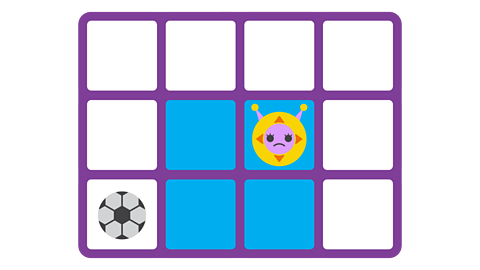
- If you make a mistake the Bitesize Bot will go the wrong way.
- You might have got a step wrong.
- Maybe you pressed the wrong arrow button.
- A mistake is called a bug.
- You need to check your route, algorithm, and program for bugs.
Glossary
Here are the meanings to some important words:
Computer - A device that can follow instructions stored in its memory.
Robot - A machine with a computer inside.
Algorithm - A list of instructions that completes a task or solves a problem.
Program - A list of instructions a computer can understand.
Memory - The place in a computer where information is stored.
Bug - A mistake in a computer program.
Activities
NEW Dance Mat Typing game! game
Practise your touch-typing skills with the brand-new Dance Mat Typing game.

More on Computing science
Find out more by working through a topic
- count6 of 9
- count7 of 9
- count8 of 9

- count9 of 9